Notes While Using ProPresenter
River Oaks Church - Created August 2025
ProPresenter can be a little buggy from time to time, but there are some important and consistent potentially unexpected behaviors that you will see while using it. The notes below will highlight them in no specific order:
Importing Videos
9 times out of 10, when importing videos, they will automatically loop. This behavior is useful in majorify of use cases, but for one off videos during a service, is completely not what we want. After importing a video (by dragging it into the presentation), you need to do the following:
-
Right click, click on Inspector
-
Go to the Properties view (the horizontal faders the 2nd tab from the left)
-
Change Playbackf from Loop to Stop
-
Depending on the video, you may want to also adjust the end behavior. It's ideal for bumper videos to end on the last frame, which should allow for a seamless transition into the static graphic for that theme.
Weird Line Spacing
Depending on how songs get imported into ProPresenter, they may have odd spacing. It's important to check this in the "Reflow" editor to ensure songs have evenly-spaced lyrics. You'll see below that there is a line break before and after the text in the slide.

If you notice a slide with only top spacing (or bottom spacing), you ned to go into the slide editor and ensure the text is vertically centered.
ProPresenter "Not Saving"
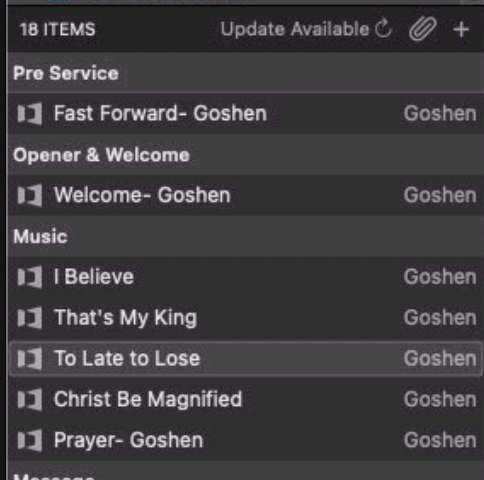
I've seen reports in the past that ProPresenter doesn't save the changes that are beign made. Although I have never been able to 100% verify that claim, one potential factor of that would be if someone updates the plan according to Planning Center. If you didn't know, ProPresenter syncs with Planning Center. It pulls each plan item into the ProPresenter Playlist, so it's less work for Leo to lay out. In an ideal world, if we never had a new song, it's a matter of importing the Planning Center service, and being ready for a Sunday.
That being said, one factor to this is potentially when users click the Update Available button to refresh the plan to Planning Center. The ProPresenter settings are set so it only ever uploads presentations to Planning Center, but it does seem as if it downloads them from time to time. Potentially a bug?
ProPresenter Not Creating Alpha Lyrics
This is a much broader topic that would require much more detail to fully explain, but I'll highlight the important part.
ProPresenter has a setting called a "Look". A look defines WHERE content is being outputted to, as well as HOW the content is formatted.
From time to time, alpha lyrics (lower third lyrics, which in our case are sent out via NDI to the broadcast-graphics mac) don't have any text or content to them. This is a fault of the look that is active.
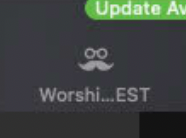
In the top right of ProPresenter, you can select the active look. For worship, you HAVE to be using Worship Lyrics TEST. I can explain the backstory in the future, but that is the newest, and least buggy option.
Macros (Use them carefully)
Macros are meant to be an incredible shift to how we use ProPresenter, but unfortunately they are buggy. Macros in ProPresenter are intended to allow you to have saved "preset"-esk behavior that allow you to complete multiple actions repeatably over and over.
Unfortunately, looks that are cued by Macros do not override the active look's options. They seem to be active, but they don't actually make a shift in the output. That being said, we cannot use Macros anymore.
First Slide (Important)
The first slide of every worship song is EXTREMELY important. Not only does it set the basis for the entire song's ProPresenter behavior, but it also needs to exist so that the media is able to be shown on the creens.
That being said, the first slide is detailed more in this doc, but I wanted to reference it's importance here. Follow this guide listed here, and make sure to check EVERY song EACH week to ensure it's correct. If it's not, the band likely won't have a working confidence screen, and lots of stuff will go wrong.
https://docs.ro.church/Production/General/ProPresenter/first-slide/#first-slide-of-songs