Clearing out Storage
River Oaks Church - Created November 2025
Each Sunday, the producer is supposed to start/stop recording on OBS (our live streaming software) at the beginning/end of the service. These recordings will inevitebly take up space, and it's good practice to clear them out at the beginning of each month or sermon series.
Disclaimer: I am planning to write a script to automatically remove these recordings, but until then, this process will need to be followed.
Where are these recordings stored?
All recordings are stored in the Movies / OBS / Main Recording folder by default.
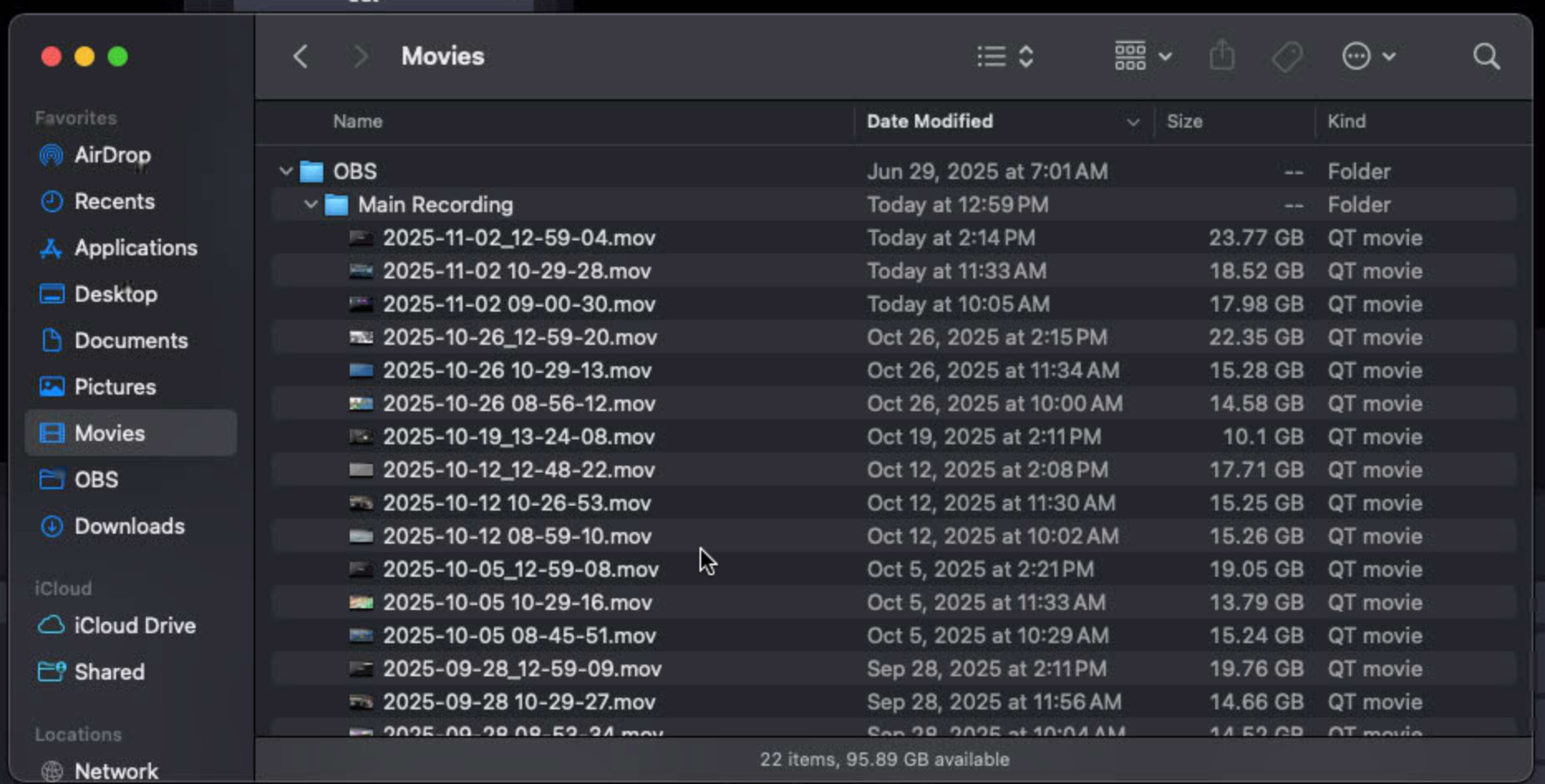
How do I delete them?
Deleting them is a 2-step process.
- Backing up the files
To back up the files, you'll need to go to Google Drive, and to the Central Production team drive, in the "Misc Archive" and "2025" (or whatever year) folder.
In here, you'll make a folder for the DATE OF WHICH THE VIDEO WAS RECORDED. This ensures that each Sunday, special event, etc. will most likely have it's own folder. The format is a short date format of MM-DD-YYYY.
- Delete them!
Once the files are backed up (it's proper procedure, but not the end of the world if they aren't, as we likely have our own archive of the services on YouTube), you can delete the oldest recordings FIRST, leaving the most recent month, from the Mac's Main Recording folder. Then, EMPTY THE TRASH CAN. If you don't empty the trash can, the Mac will still run out of storage.