Track Routing & Stagebox Info
River Oaks Church - Updated May 2025
At this point, tracks are now fully ran from the little "Tio" stagebox under the audio console in the auditorium.
Why?
The stagebox, alongside the Focusrite interface, are running tracks so that we can have redundancy at the network level for tracks. Obviously, this is not perfect, and will not 100% stop all track problems forever. But, what this does mean, is that we have additional protectoin and a higher chance of tracks working in the event of a network interruption.
For a more up to date list of tracks and their routing, see our Google Sheet.
Stagebox Routing
| Channel # | Name |
|---|---|
| 1 | Timecode |
| 2 | Flex |
| 3 | Click |
| 4 | Cues |
| 5 | Perc |
| 6 | Lows |
| 7 | Guitars |
| 8 | Organ |
| 9 | Pad |
| 10 | Pulse |
| 11 | Unassigned |
| 12 | Unassigned |
| 13 | Unassigned |
| 14 | Unassigned |
| 15 | CPU L |
| 16 | CPU R |
** As of 5/11/25, the CPU audio channels are also routed through the stagebox.
** Track channels match exactly between Ableton and the stagebox.
Overview
At the time of writing, the stage box still doesn't have labeled channels on Dante Controller, so this above chart is the only reference of track routing we have.
Stagebox Networking
Because of how the secondary Dante network is setup, there is no DHCP. So there is a static IP mapped on the stageboxs' secondary interface of something like 10.250.250.x.
The primary interface still receives DHCP from the Dante Network (VLAN 69).
Volume Knobs
I'm unsure why (as of writing this), but channels 1 and 2 of the interface are apparently the "monitor" outputs. Meaning, the knob on the front does control them. This being said, the Dante and Flex channels could have different levels of audio.
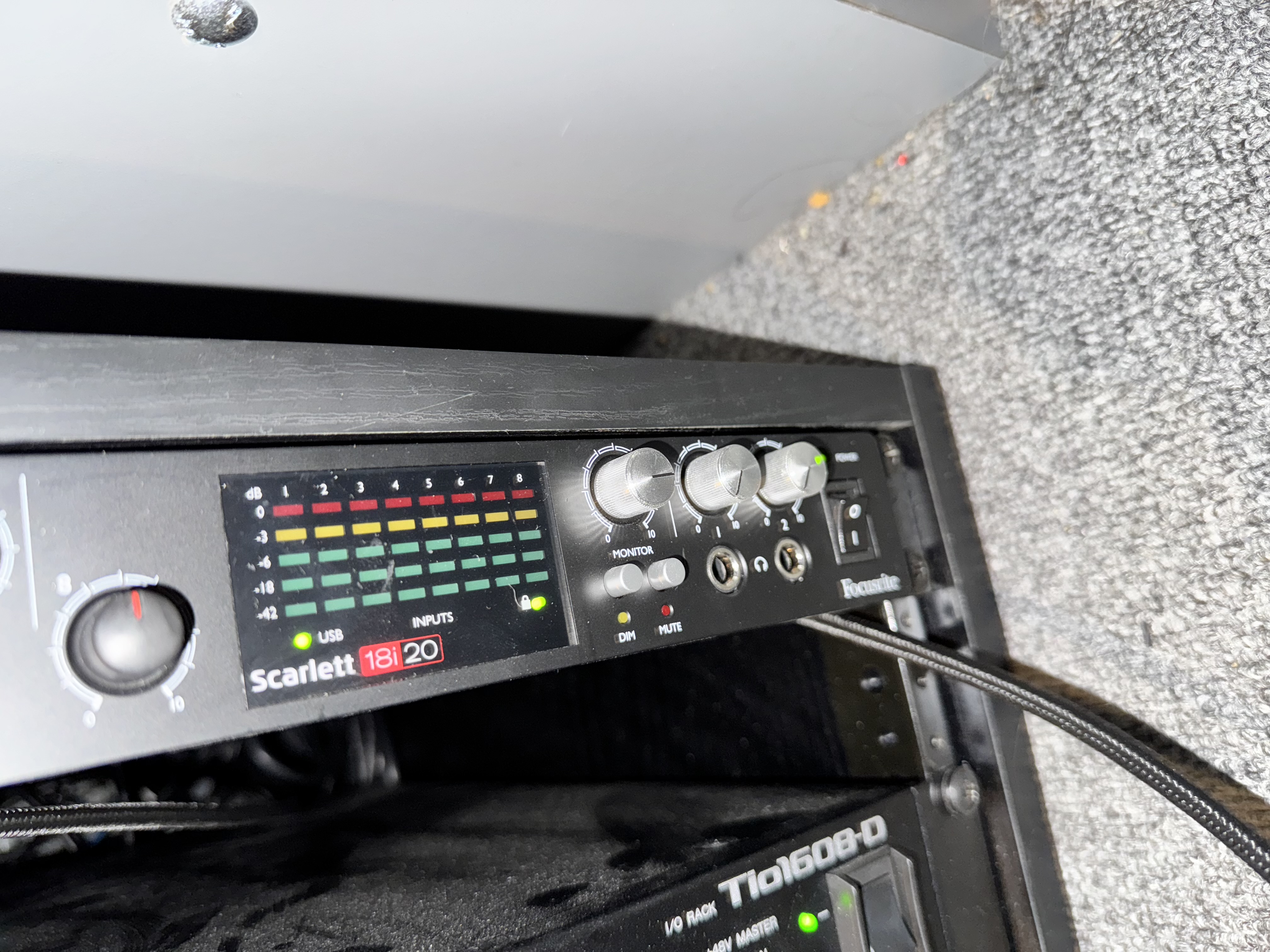
As pictured above, the top knob is the one to adjust timecode. If the lighting console isn't displaying timecode, the knob could be too low.
Interface Settings
The option to adjust volume and whatever on the audio interface is available on the tracks Mac mini.