Renewing Bitwarden Cert
River Oaks Church - Updated March 2025
DNS
First you will need to log into Cloudflare, to create a CNAME record for bitwarden.ro.church to go to oracle.ro.church.
(After the cert is issued, you can delete this record.)
VM Stuff
Log into the "riveroaks-oracle" VM, and run the following command:
sudo certbot --nginx -d bitwarden.ro.church
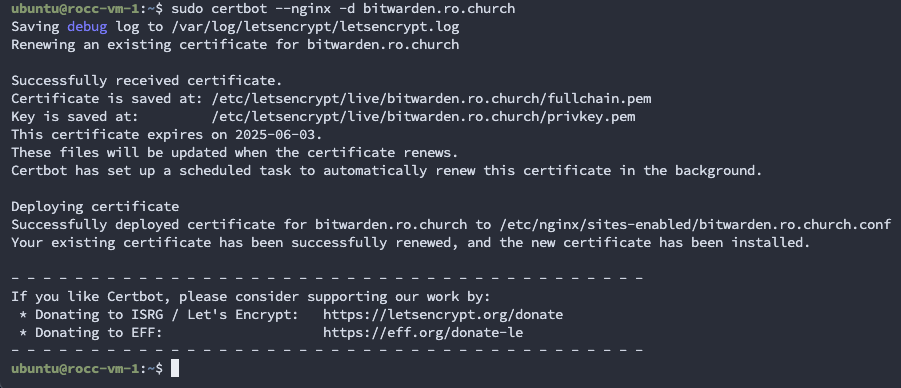
You should see an output like the snippet above. If it fails, check your DNS record.
Now that it's done, we need to get the cert onto mdf-pi-2 since Bitwarden is locally hosted.
To do this, go into the root user on the oracle vm (sudo -i)
Run these commands:
cd /etc/letsencrypt/live
zip -r "bw-$(date +%b%y).zip" bitwarden.ro.church
scp "bw-$(date +%b%y).zip" pi@10.0.21.201:/home/pi
Now login to the pi [mdf-pi-2], and move the cert to the correct location and unzip it.
unzip "bw-$(date +%b%y).zip"
sudo rm -rf /etc/letsencrypt/live/bitwarden.ro.church
sudo mv bitwarden.ro.church/ /etc/letsencrypt/live
Generally, it's a good idea to restart nginx after renewing the cert..
sudo service nginx reload
Done! Don't forget to delete the cloudflare DNS record.
Also, set a reminder from 90 days from now so you can do this again!